
News

Learning Technologies & Innovation
Microsoft Copilot: Web Agents and Uploaded Files
March 2026
Ready to go further with Microsoft Copilot? This intermediate‑level webinar helps you deepen your skills using capabilities available today. You'll explore Copilot Chat, including how to build a web-based agent and reason over uploaded files. Along the way, you'll see practical, higher-ed examples such as creating an agent grounded in public university web pages and using Copilot Chat to analyze, summarize, and refine documents. Join us on Thursday, April 23rd at 11am!

Learning Technologies & Innovation
Introducing Elai: Using AI for Video Production
March 2026
The ITS Panopto Elai Pilot has been extended for another year. Elai uses AI to simplify video creation, enabling fast, professional-quality results without traditional production hassles. Join our webinar on Wednesday, April 15th at 1 PM CT to learn more about the platform and its benefits for your creative work.
Digital Media Services
Poster Design Workshops
March 2026
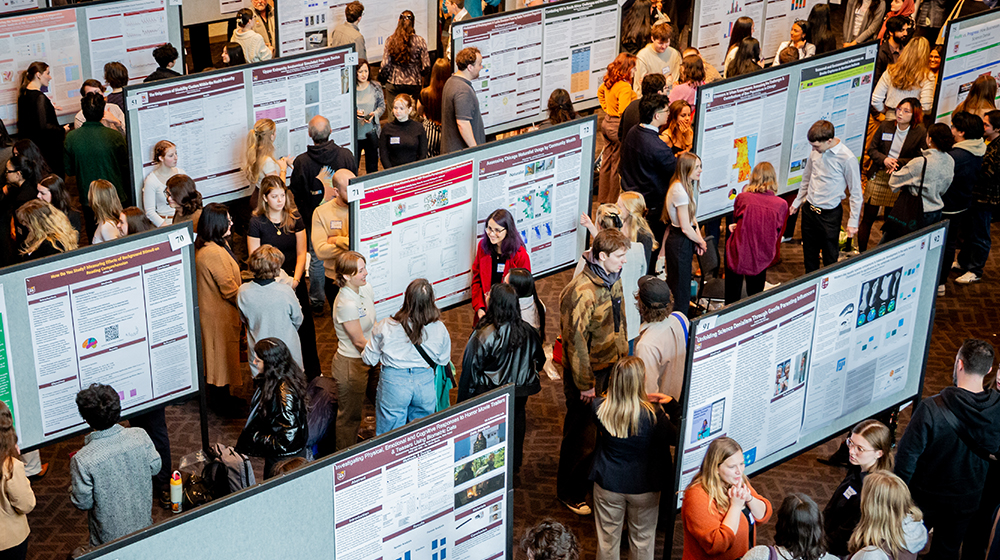
Digital Media Services will host four Poster Design Workshop sessions for those designing research posters for upcoming symposium and conference events. Using our guides and templates, we'll walk through best practices and tips to ensure your research poster is well designed and ready for print. These workshops will occur between Wednesday, March 25th through Friday, April 10th, meeting in the Information Commons room 120.

University Information Security Office
Awareness: Electronic Gift Card Scams on the Rise
February 2026
This article highlights a specific type of scam targeting Loyola students recently. Scammers often pose as bosses or supervisors to request gift cards or money. Read more to learn about how to stay safe from social engineering attempts.

Access & Authentication
LOCUS Parent/Guest Access Password Requirements Update
February 2026
To keep accounts secure and meet updated University password standards, all Parent/Guest Access passwords will be required to updated by June 1st, 2026. Parent/Guest Accounts are managed by students, so students will be responsible for updating the password and notifying you of the change.
Desktop Services
Annual Instructional Software Request Deadline
February 2026
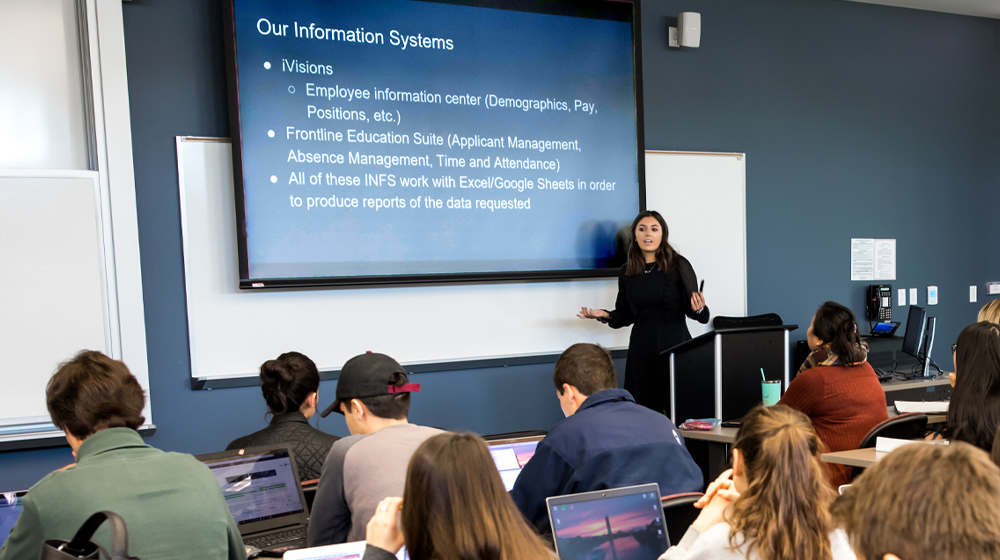
To ensure the most stable classroom and lab computing environments, we require instructional software requests to be submitted in advance for review. As we begin development work for 2026-2027 Academic Year, faculty and staff have until the deadline of March 20th, 2026 to submit software requests. Visit the link below to learn more about this process, applications pre-approved for inclusion, and the Software Request Form.
Learning Technologies & Innovation
Smarter Class Conversations: Using Piazza to Save Time and Boost Engagement
February 2026
Piazza is a Sakai‑integrated Q&A platform that supports collaborative, real‑time learning. Its wiki‑style format streamlines shared answers, while features like LaTeX, syntax highlighting, code blocks, anonymity, and engagement statistics enhance class discussions. Join us on Wednesday, March 11th at 1pm to learn from our staff and Loyola’s Piazza representative how it can strengthen your course!

Learning Technologies & Innovation
Meet Microsoft Copilot: Your Everyday AI Assistant
January 2026
Microsoft 365 Copilot Chat, available to all Loyola users, can enhance teaching, learning, research, and daily work. Attend one of our interactive webinar sessions on Wednesday, February 11th or Thursday, February 26th to see how it supports summarizing information, drafting content, analyzing data, and improving collaboration across Microsoft 365 apps.
Learning Technologies & Innovation
Empower Your Students with Virtual Labs: A Labster Quick Start
January 2026
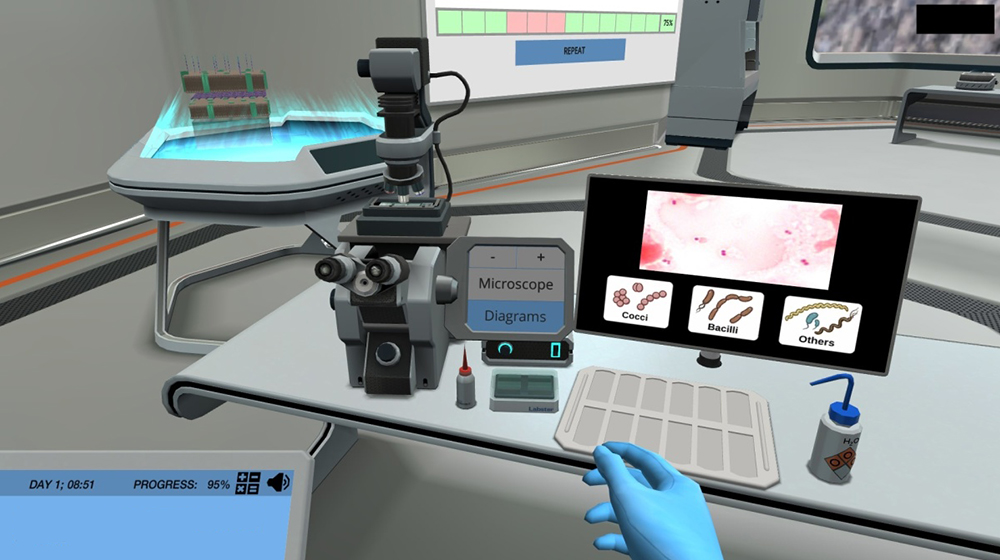
Labster is a virtual science lab platform offering over 300 simulations across disciplines. It provides realistic environments for students to conduct experiments, build skills, and deepen understanding. Register to attend our February 3rd session which explores how Labster supports learning and how to seamlessly integrate it into your Sakai courses.
Network Services
Telephone System Replacement for Water Tower Campus Begins
January 2026
As previously announced, we began the transition for all University faculty and staff telephones to the Microsoft Teams phone environment across Health Science and Lakeshore campuses. We will begin transitioning phones at the Water Tower Campus toward the end of January with this project completing in Spring 2026.

Learning Technologies & Innovation
Still Time to Participate in the Panopto Elai Pilot
January 2026
Elai is an innovative platform that leverages artificial intelligence to revolutionize the way you create and manage video content. It empowers you to create professional-quality videos in minutes, eliminating the complexities that often accompany traditional video production processes. With its user-friendly interface and advanced technology, Elai empowers you to render content at a whole new level.

University Information Security Office
Happy New Year from UISO: Set a Cyber Resolution for 2026
January 2026
UISO encourages starting 2026 with a cyber resolution to improve digital safety. Simple actions like strengthening passwords, enabling multi-factor authentication, staying cautious with emails, updating devices, and protecting personal data can enhance security.

Server Operations
Enabling Outlook Auto-Archiving
December 2025
Over the winter break, we will be enabling the Exchange Online Auto-Archiving feature for all user mailboxes within the University. This will afford greater ease and efficiency with mailbox management while ensuring long-term access to older emails. The process will be automatic and seamless.
.jpg "Two laptops facing back-to-back with one monitor displaying")
Learning Technologies & Innovation
What's New in Sakai 25 for Students
November 2025
Students are invited to join us on January 8th, 2026 at 11:00am to take an early look at Sakai 25 before the Spring semester begins. This session provides you with demonstrations and hands-on experience that focus on the student perspective. Faculty and staff are also welcome to attend.

University Information Security Office
Awareness: The Importance of MFA
November 2025
The latest USIO Awareness blog post covers the importance of Multi-Factor Authentication (MFA) as one of the most effective ways to prevent account compromise. Learn how MFA works and review simple steps and best practices for securing university and personal accounts.

University Information Security Office
Policy Update: University Email Required for Official Business
November 2025
Loyola has updated its Electronic Mail and Voicemail Use and Disclosure policy to clarify that all official university communication must be sent from and to official university email addresses. Students, faculty, and staff are expected to check their LUC.edu email regularly. Faculty must also use their Loyola email address when communicating with students and list it in their syllabi.
.jpg "One laptop open with text displaying")
Learning Technologies & Innovation
What's New in Sakai 25 for Faculty
November 2025
Faculty are invited to join us on December 2nd or December 16th at Noon for an exclusive preview of the upcoming Sakai 25 release. Features include highlights of new tools, enhanced functionality, and key improvements designed to enrich your teaching and learning experience. Staff and students are also welcome to attend.
Network Services
Telephone System Replacement for Lakeside Campuses Begins
October 2025
As previously announced in February, we began the transition for all University faculty and staff telephones to the Microsoft Teams phone environment. After a successful rollout at the Health Sciences Campus, we are now preparing to transition colleagues at the Lakeshore and Water Tower campuses across October 2025 and into early 2026.
Research Computing Services
Seminar: The Clinical Research Database (CRDB)
September 2025
Please join us September 16th at Noon for the The Clinical Research Database (CRDB): Epic Data Mining for Research & Data Security session presented by Ron Price. This event is part of the annual Health Informatics Seminar Series, hosted by the Center for Outcomes and Informatics Research (CHOIR).
University Information Security Office
Awareness: Email Spoofing
August 2025
The latest USIO Awareness blog post covers the basics of email address spoofing, a type of cyber-attack we have been seeing often targeting Loyola staff and faculty. Attackers use email spoofing to make a malicious message appear as though it came from a trusted source.

Desktop Services
Windows 11 Migration
August 2025
Microsoft will end support of Windows 10 effective October 2025. As a result, all University workstations with this operating system will no longer meet security standards and require action. Learn about our migration process and how you can upgrade in advance to Windows 11 to ensure continued security, compatibility, and access to modern features with minimal impact to user experience.

ITS & University Libraries
Information & Technology Showcase
August 2025
Please join us for the 2025 Information & Technology Showcase on Tuesday, October 7th at the Lake Shore Campus. Learn about existing library and technology resources available to the University community. Service provider partners and Loyola staff will be hosting breakout sessions and resource tables throughout the day.

ITS Service Desk
Start of Semester Extended Support
August 2025
The ITS Service Desk will offer extended support hours, including walk-in support, for the week of move-in (Monday, August 18th - Sunday, August 24th) at Granada Center room 240 at the Lake Shore Campus.
1000X560.png "An individual stands in front of a computer lab printer retrieving their document as it finishes printing out.")
Digital Media Services
Start of Semester Printing Tips
August 2025
Whether it's your first time printing from one of our on campus MobilePrint locations or you're returning after a semester break, visit our Start of Semester Printing Tips page for information on print funds, costs, locations, and more.

Learning Technologies & Innovation
Start of School Webinars
July 2025
With the academic year approaching, consider attending our start of the semester webinars led by Learning Technologies & Innovation. These webinars will empower both faculty and students to enhance their teaching and learning experiences. They are designed to help you integrate technology into teaching and learning quickly, while gaining insights into best practices for using each tool.
Information Technology Services
ITS News Archive
View our Information Technology Services news archive for announcements and updates prior to the current academic year.